What are Nano Banana Prompts?
Nano Banana Prompts are text descriptions used to instruct the Nano Banana AI and Nano Banana Pro to generate specific images. They can describe subjects, styles, lighting, composition, and more.
Explore our curated collection of high-quality AI art prompts. Perfect for Nano Banana, Nano Banana Pro, Google Gemini 3 image, and other AI image generators. Copy and use them for free.
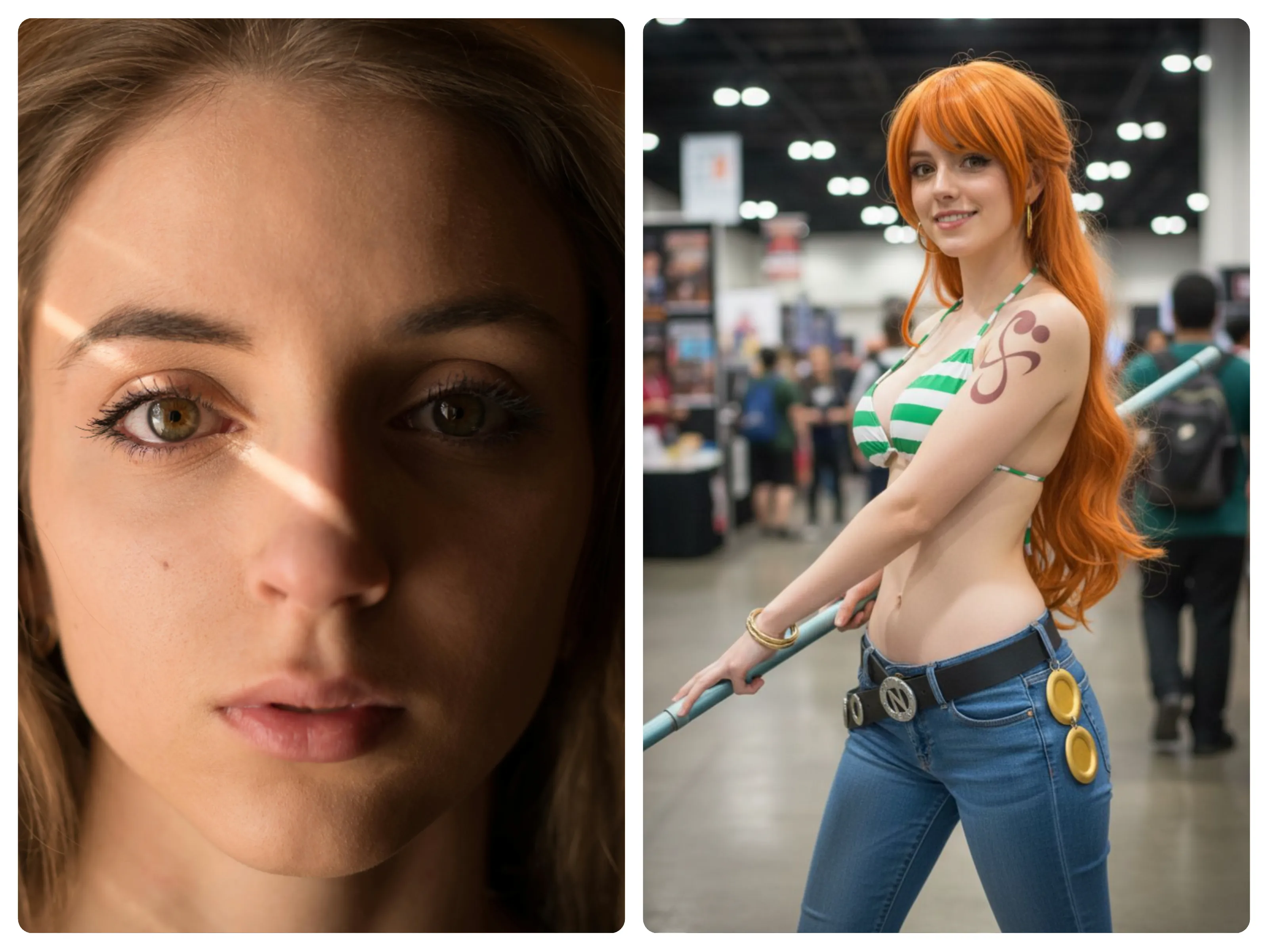
Transform the uploaded portrait so the person is realistically cosplaying as "jinx". Background: professional photo studio—neutral seamless backdrop, matte floor, one softbox, one strip light, light stands, a stool. Lighting: key softbox front-left, strip rim back-right, subtle hair light; 5600K white balance; soft, plausible shadows. Camera: full-frame 50–85mm at f/4; eye-sharp focus; natural skin texture (visible pores), no over-smoothing; mild film-like grain; realistic DOF. Materials: fabric weave, leather creases, metal edge wear; correct contact shadows and speculars. Color: neutral, accurate, smooth highlight roll-off. Strictly photorealistic.

Create a realistic 1/7 scale PVC figurine based on the character in the photo. The figure is placed on a round transparent acrylic base with no text, and sits on a computer desk in an indoor environment. Behind it, there’s a BANDAI-style toy packaging box featuring a 2D illustration of the same character. On the nearby screen, show the ZBrush modeling process of this figure.have a nanobanana.art text on the box.
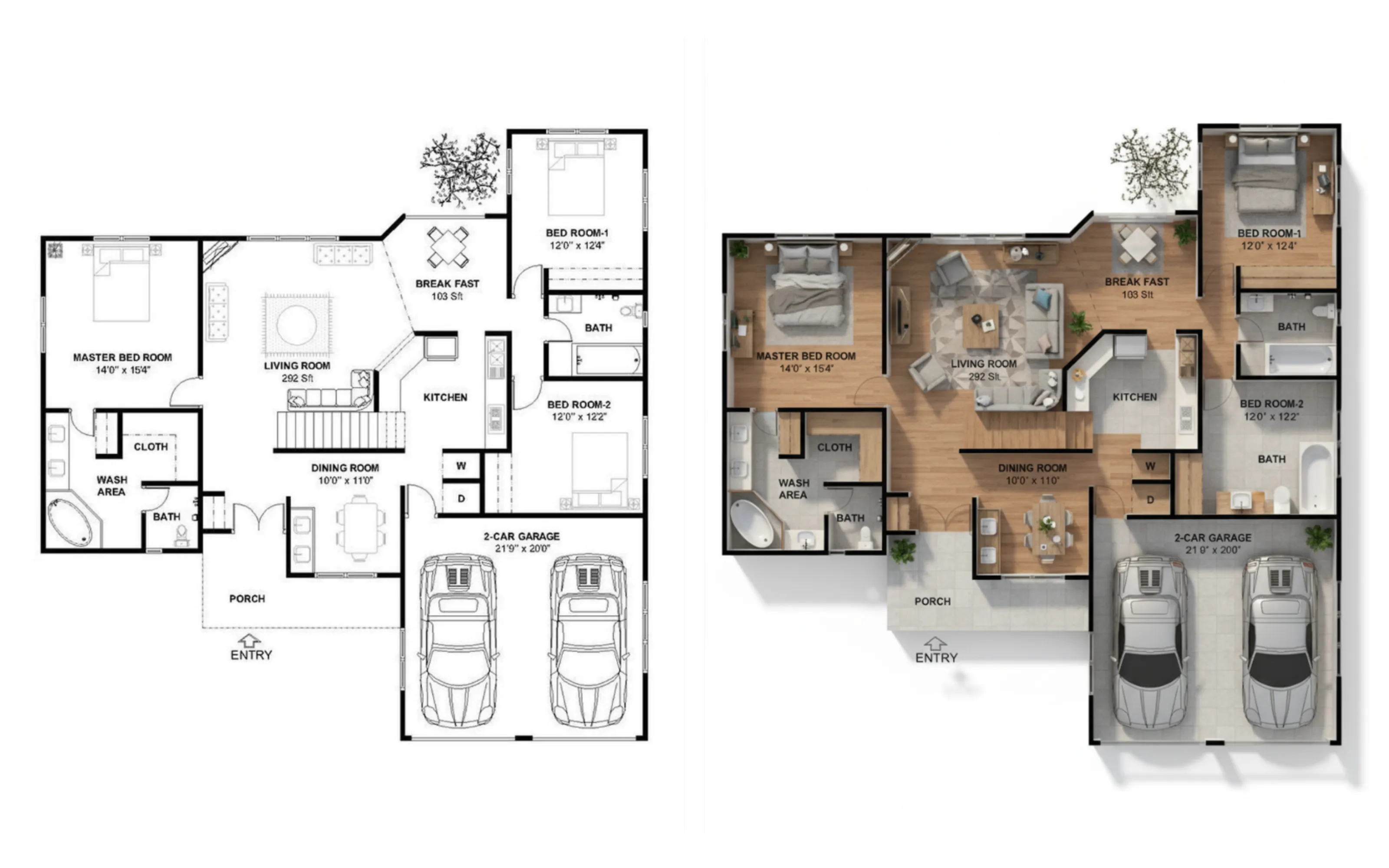
Create a high-resolution, photorealistic 3D rendered floor plan based on the residential layout in the uploaded basic floor plan image. Show the space from a top-down bird's-eye perspective at a slight angle for depth. Accurately replicate the room shapes, walls, and dimensions from the original plan. Use realistic interior materials: polished wood flooring for the living areas, ceramic tiles for bathrooms and kitchen, and soft neutral wall colors. Place realistic furniture, lighting fixtures, and decorative elements true to scale in each room according to standard home layouts. Simulate natural daylight streaming in through windows, creating soft shadows and reflections for a warm and inviting atmosphere. Ensure the rendering includes fine details such as door handles, skirting boards, rugs, potted plants, and ceiling lights to enhance realism. The background should be plain white with subtle drop shadows to make the 3D floor plan stand out clearly.
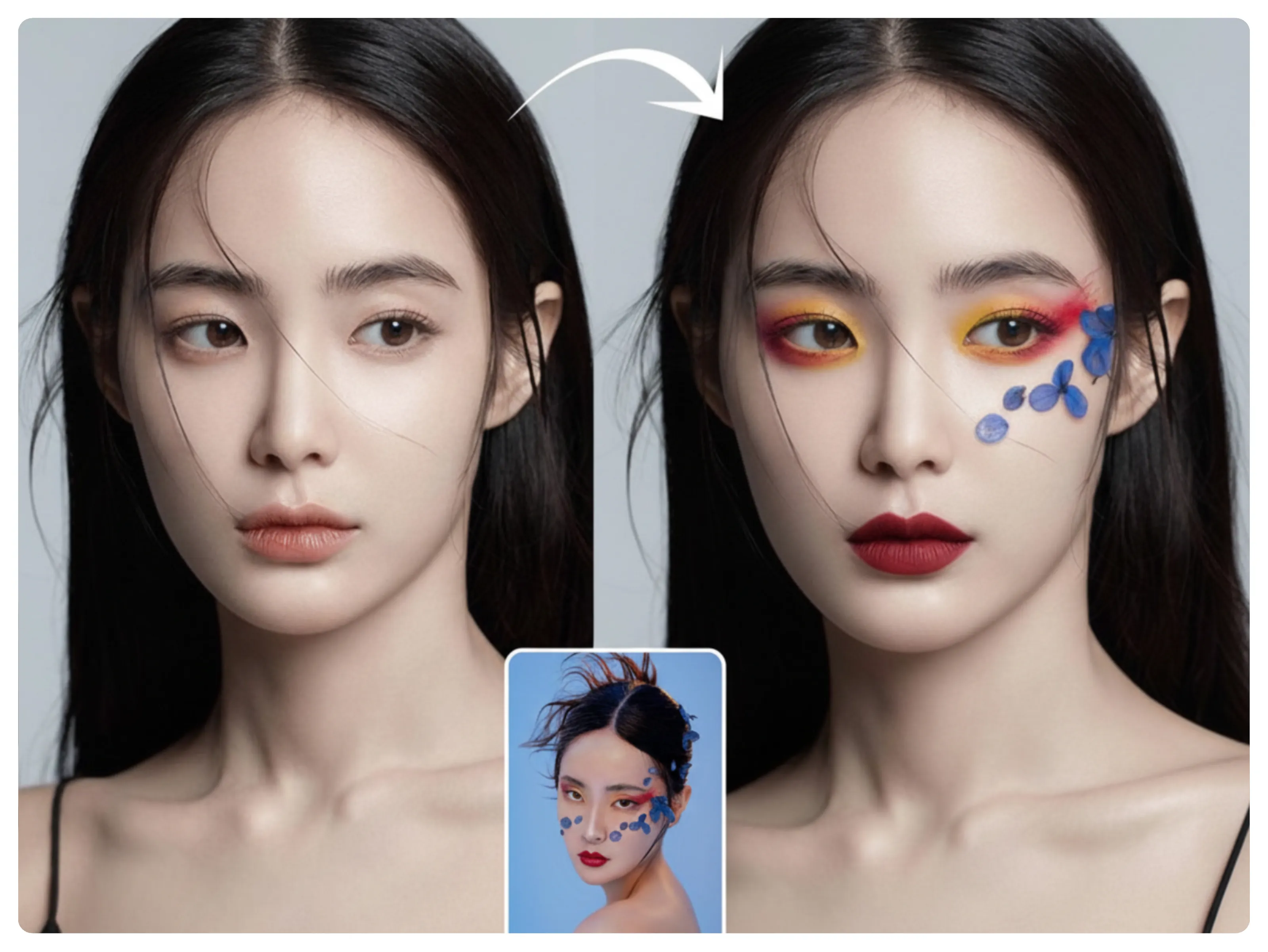
Creatively and seamlessly blend the key elements, styles, and compositions of both images into a single, visually balanced artwork — ensuring natural integration of lighting, context, and overall harmony.
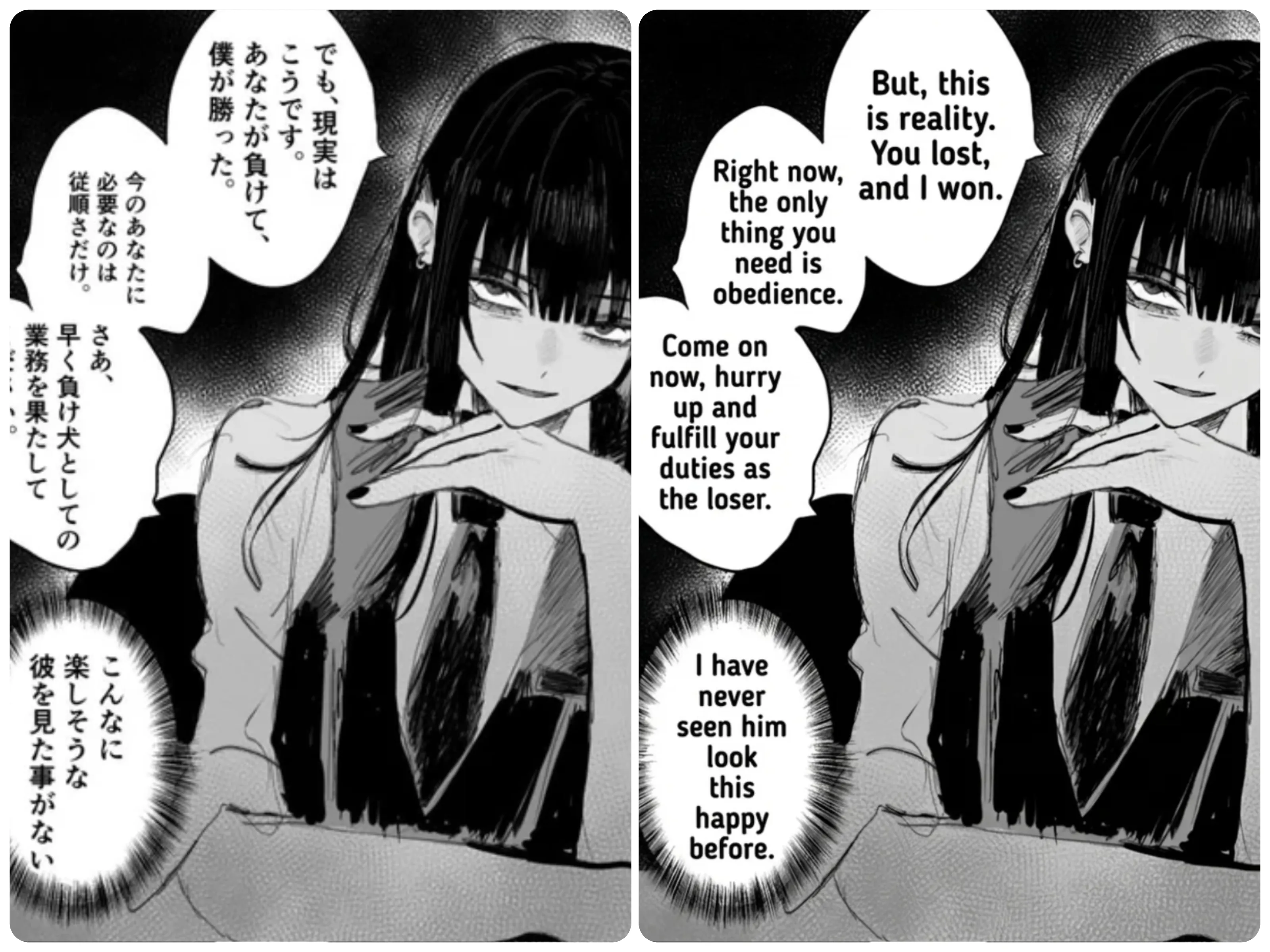
Translate the image into English and add in the translation, do not change the image, only the speech bubbles and the text. Keep everything the same.
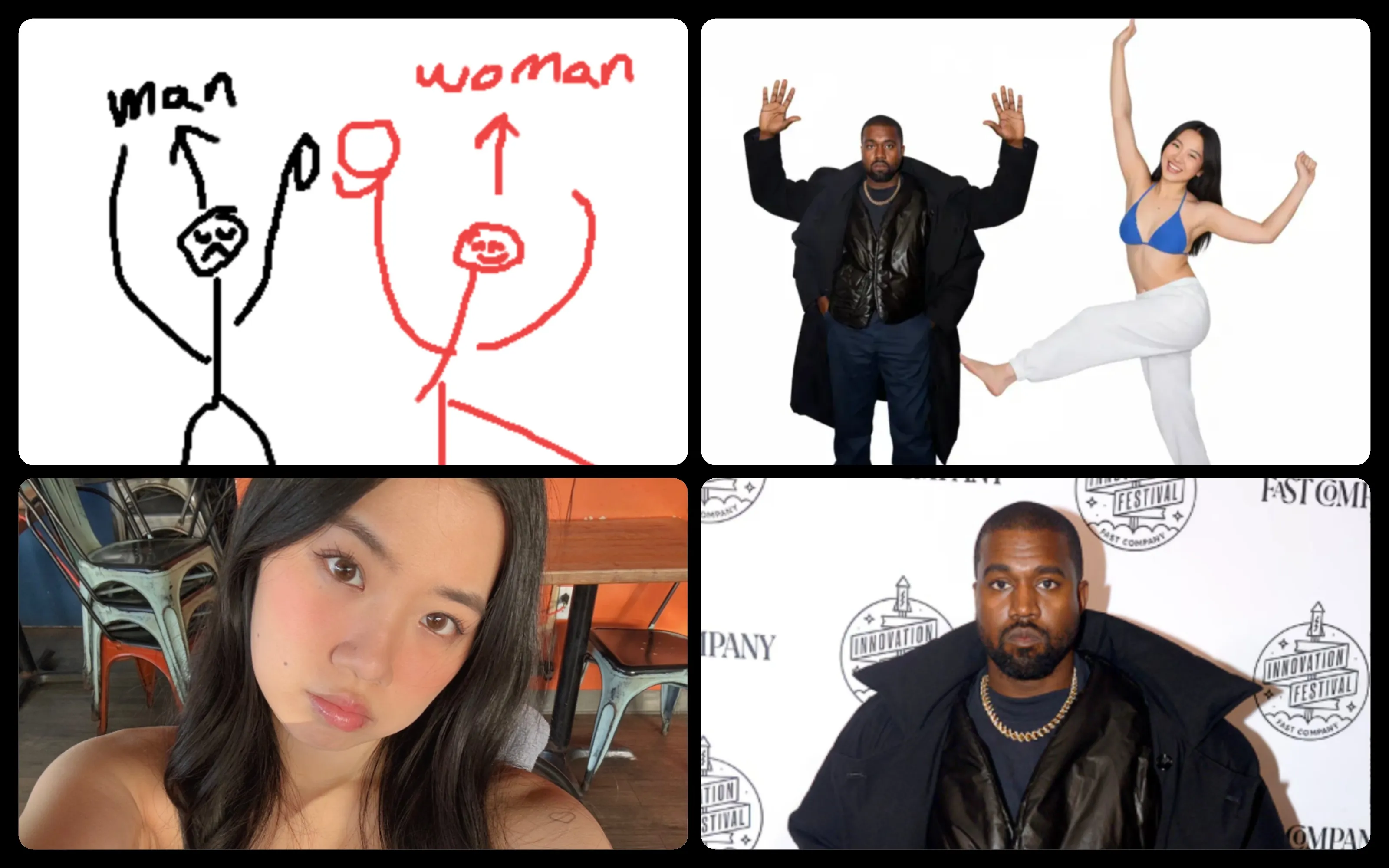
Make people in the image(s) to take the pose from the reference picture
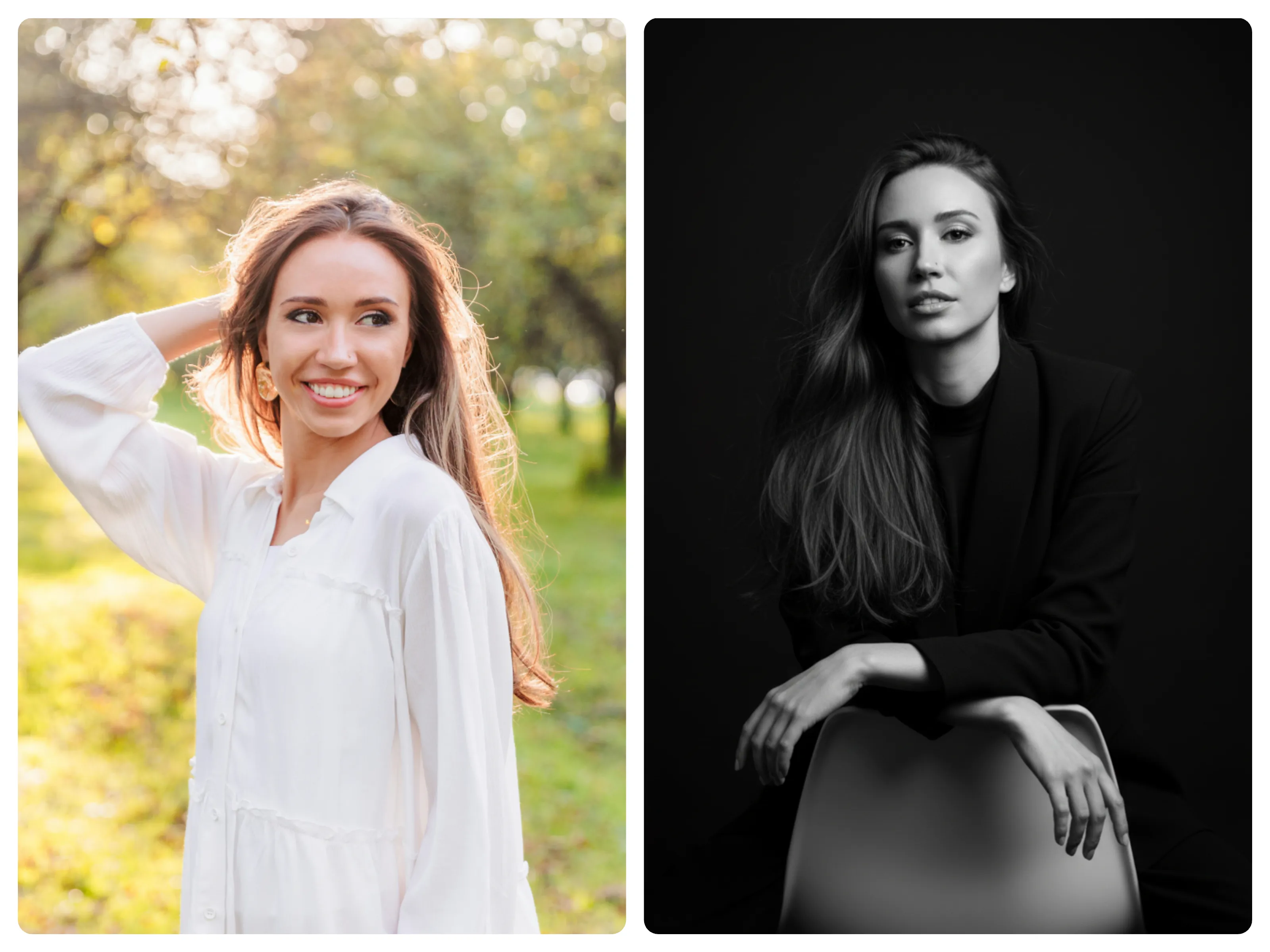
Hyper-realistic studio portrait, the figure(refer the image) elegantly leaning against the back of a chair, dressed in stylish dark clothing. Shot with a subtle low angle to highlight his facial features and confident expression. Cinematic black and white color grading, with natural and refined skin tones. Pure black background, 8K sharp details, emphasizing the textures of clothing, hair, and eyes, creating a dramatic, lifelike effect.
![Make the person in the image take a selfie with [celebrity name], both smiling and looking directly into the camera. The scene of the photo is in the [place]. POV perspective as if the viewer is holding the phone, but without showing the phone itself. Bright lighting, natural expressions.](https://d3l11418fkx8im.cloudfront.net/static/ai-image-effects/ai-selfie-with-celebrities-generator/showcase1.webp)
Make the person in the image take a selfie with [celebrity name], both smiling and looking directly into the camera. The scene of the photo is in the [place]. POV perspective as if the viewer is holding the phone, but without showing the phone itself. Bright lighting, natural expressions.

A technical and stylistic re-rendering of a vintage photo. Keep all people, outfits, poses, and background identical. Transform the image to look like a modern portrait shot with a high-end digital camera and vibrant, vivid color grading. Remove all vintage color cast—make colors saturated and full of life. Skin tones must appear warm and healthy, not pale or muted. Enhance floral and solid color patterns with rich, clean tones. Replace harsh flash lighting with soft, studio-quality light: a large, soft key light from the front-left, and subtle fill from the right. Add catchlights in the eyes and remove glare on glasses. Render in ultra-sharp 8K clarity: detailed skin texture, defined fabric, visible wallpaper. Use optics of a modern full-frame camera with an 85mm lens—create natural subject-background separation. Ensure wide dynamic range with deep blacks and clean highlights.
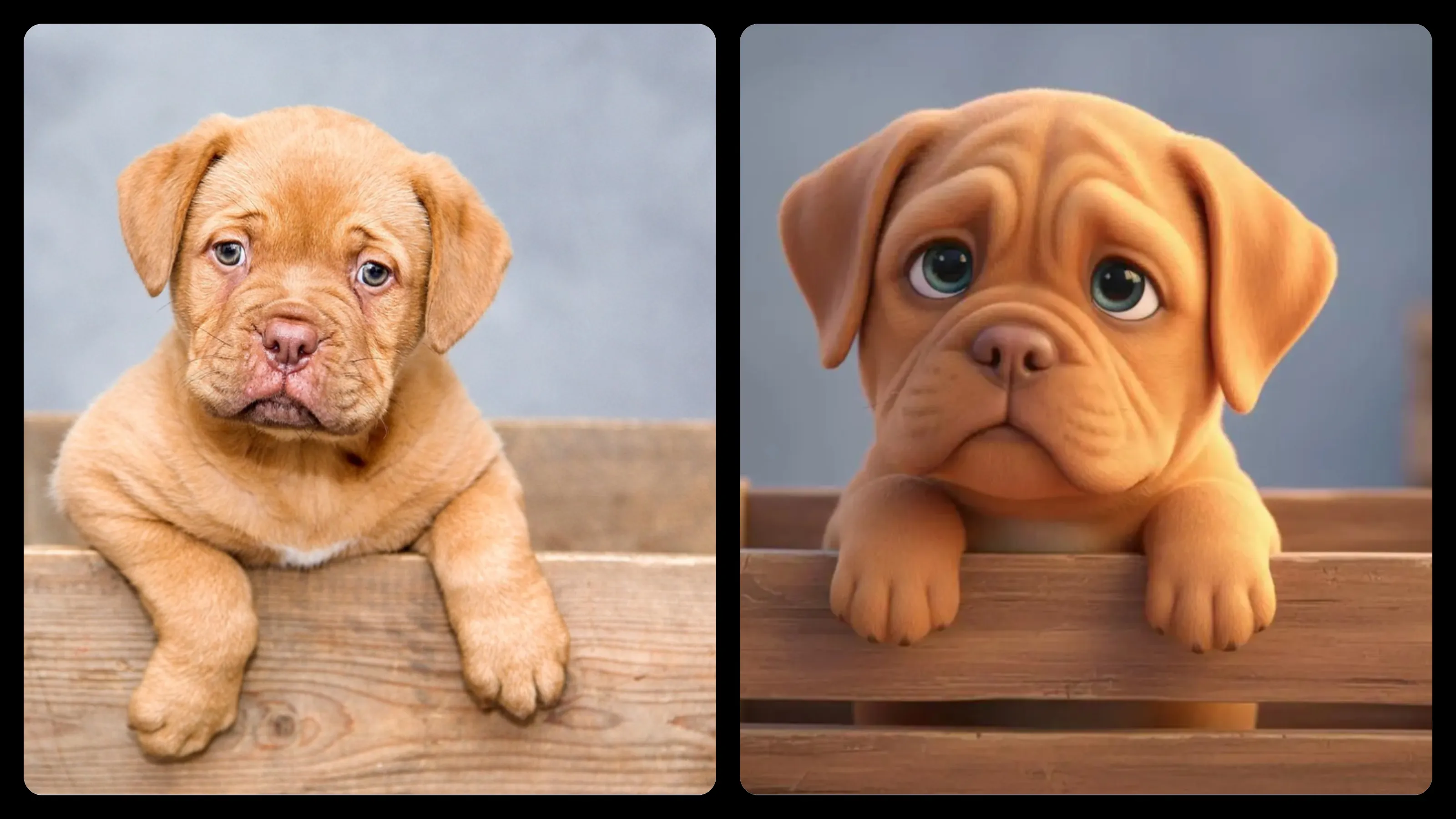
Turn the uploaded image into a stylized 3D Pixar-style scene. Preserve only the core identity of the subject (like facial shape, hairstyle, outfit), but fully reimagine it with exaggerated cartoon proportions, big expressive eyes, rounded features, and a cute, toy-like appearance. Use vibrant colors, soft textures, and warm cinematic lighting. Add whimsical background details to evoke Pixar's magical and emotional storytelling style.
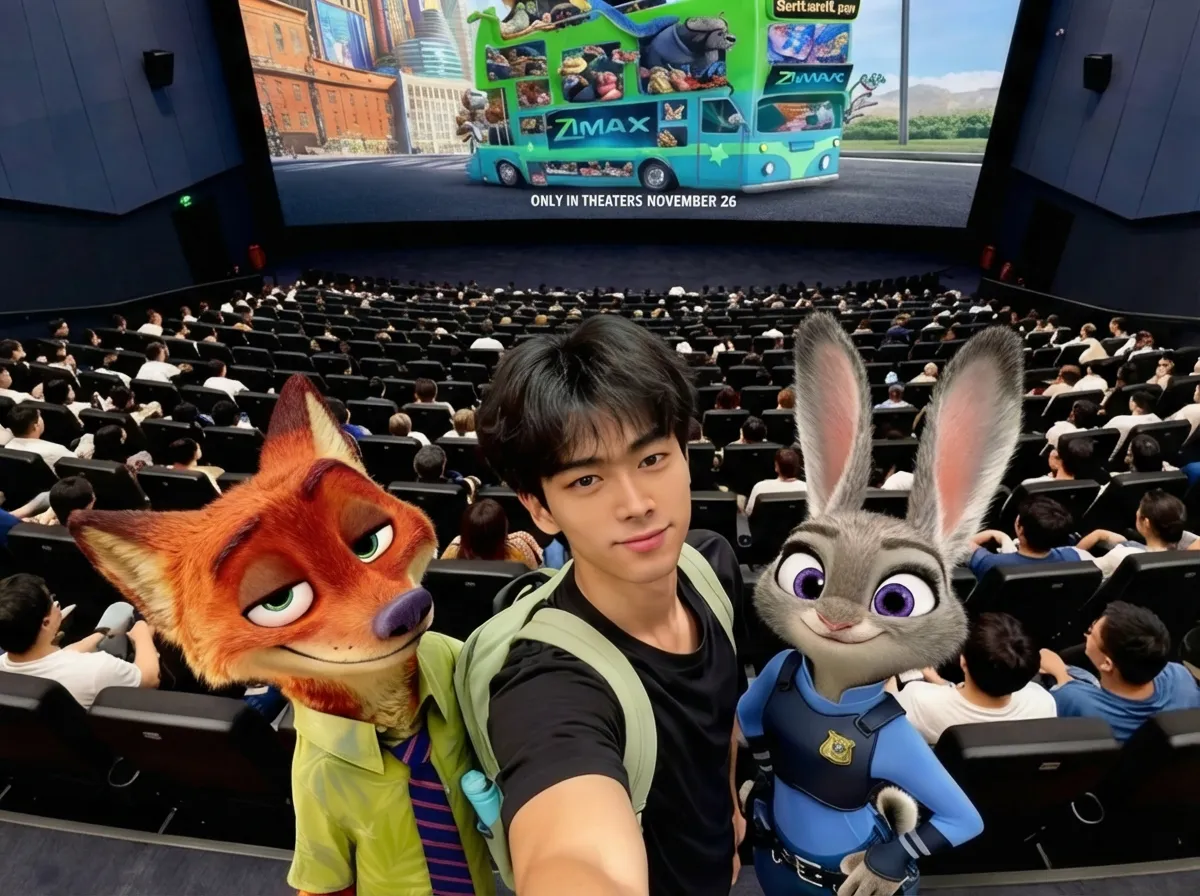
A cinematic, stylized selfie taken inside a modern movie theater. I am standing in the foreground with natural posing, soft cinematic lighting, and realistic skin texture. With Judy Hopps on my left and Nick Wilde on my right, both are seamlessly integrated with matching shadows and highlights. Behind us, the big theater screen displays a vibrant "Zootopia 2" poster with bold colors and dramatic contrast. The atmosphere includes vivid lighting, a wide-angle lens effect from the front row, and ultra-realistic rendering with crisp detail and immersive depth.
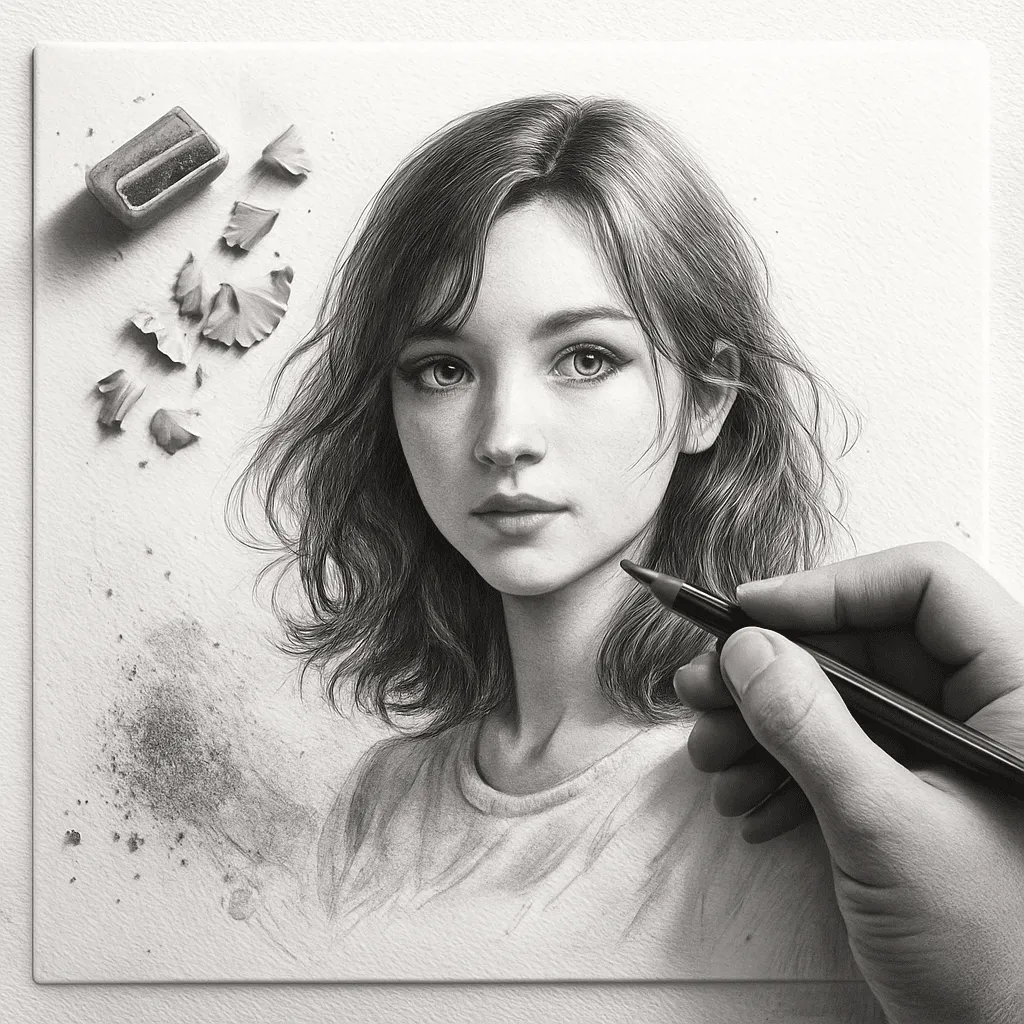
Generate an image based on the uploaded photo, re-creating the subject as an ultra-fine 3D graphite pencil sketch on textured white notebook paper. Emphasize clear paper texture, subtle imperfections, and natural fibers. Show the subject in the act of drawing, holding a pencil to bring the sketch to life on the paper. Include an eraser, pencil sharpener, and pencil shavings scattered on the paper. Realistic shadows, smudges, and detailed graphite residue should adorn the area around the drawing, highlighting the hand-drawn feel.

Transform the uploaded photo into a warm, refined holiday portrait. Crucially, preserve the person's true facial features, skin tone, expression, and facial structure, keeping them completely unchanged. Re-render their appearance with soft holiday lighting and warm golden highlights. Adorn the surroundings with festive elements such as evergreen branches, warm string lights, and delicate bokeh, incorporating rich reds, forest greens, and cozy textures to evoke a classic greeting card atmosphere. The final image should be elegant, warm, and timeless, avoiding a cartoonish style.
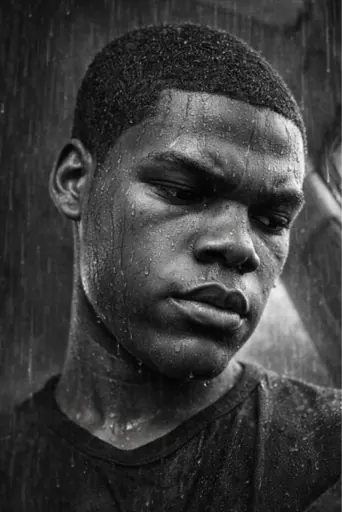
Create an intensely emotional, cinematic black and white portrait. Utilize high-contrast lighting, allowing facial contours to emerge sharply from deep shadows and bright highlights. The subject should appear drenched in rain, with irregular droplets and streaks of water on their cheeks, forehead, and jawline. Hair should be slightly wet, naturally clinging, with a few strands casually falling across the face. The background should remain dark and minimalist to emphasize the illuminated face and water droplets. The overall atmosphere needs to convey a powerful, emotional, and photographic quality—a raw portrait vividly showcasing the texture of real raindrops and dramatic tonal depth.
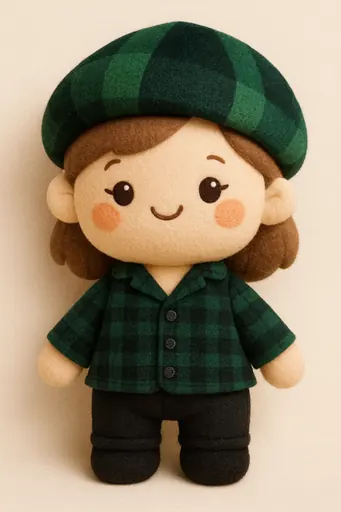
Transform the subject or image into an adorable plush toy style, featuring soft textures and rounded proportions. If there's a person, retain their recognizable features; if an object or animal, reinterpret it as a cozy plush toy, rendered in felt or fleece material. Give it a warm felt or fleece texture, with simplified shapes and gentle embroidered details for eyes, mouth, and other features. Use warm pastel or neutral tones with smooth shading transitions and subtle stitching to create a handmade toy feel. The expression should remain friendly and cute, with a slightly oversized head, short limbs, and a full, inviting silhouette. The final image should be like a charming, collectible plush toy—warm, comforting, endearing, and still recognizable as the original subject.
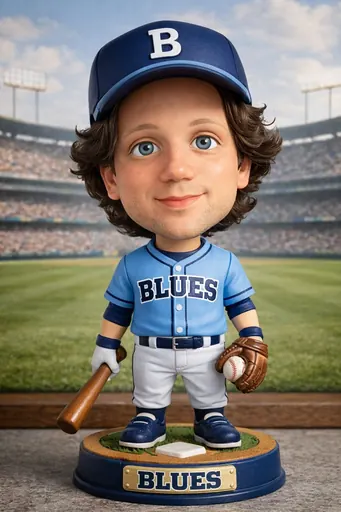
Transform the person into a classic baseball bobblehead, emphasizing its characteristics as a mass-produced collectible rather than a real person. Exaggerate the head to be disproportionately large, making it top-heavy and whimsical, connected to the body by a short, rigid neck that suggests a spring rather than a biological structure. Retain the person's facial features, but simplify details, rendering the face with a smooth, matte finish, devoid of pores or realistic texture. Facial structures should be clean and graphic, with minimal surface detail. Hair and beards should appear as a sculpted whole, using carved grooves and solid forms rather than individual strands. Dress the bobblehead in a baseball uniform inspired by the person's original attire or local colors, unified into a jersey, cap, and accessories. The body should be small, stiff, and distinctly toy-like. Position the bobblehead against a printed or softly illustrated baseball field background, making the overall atmosphere feel like a collectible display, nostalgic and distinctly bobblehead-like. Do not include any names on the bobblehead.
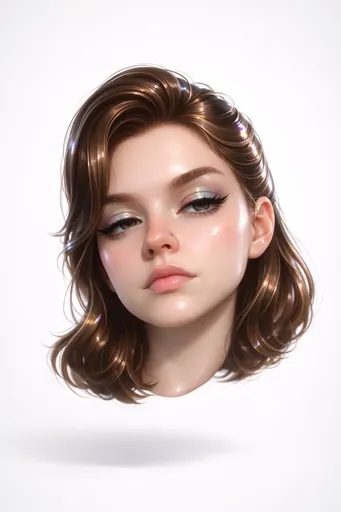
Create a hyper-stylized 3D floating head of a bratty, glamorous version of the subject with a bothered, unimpressed expression: half-lidded eyes, arched brows, and a subtle lip curl, delivering classic "mean girl" attitude. Their fair, porcelain-smooth skin has a glossy vinyl finish with strong highlighter on cheekbones and nose, catching soft studio light. Apply holographic, iridescent eyeshadow shifting from purple to teal with crisp specular glints. Style their thick hair in slick, glossy, sculpted waves or a sleek updo, reflecting light like polished acrylic. Add a small metallic chrome nose piercing (stud or hoop) with subtle brushed-metal reflections. The head floats isolated against a plain white neutral background, tilted 15 degrees, like a premium product render. Use bright, diffuse studio lighting with no harsh shadows, emphasizing gloss, plasticity, and subsurface scattering for realistic depth. Mood: bratty, fashionable, coolly detached. Camera angle: close-up portrait, straight-on. Lens: 85mm. Textures: ultra-smooth, high-gloss, cartoon-style plastic skin, lips, and hair.
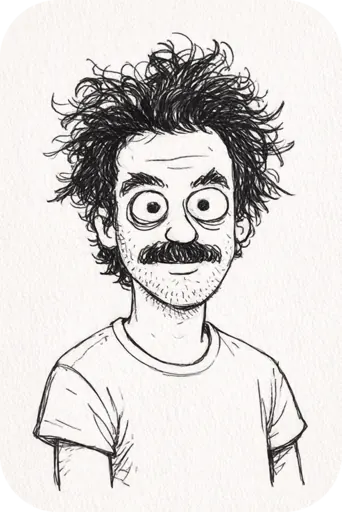
Transform the subject into an innocent, childlike doodle, using rough, uneven black lines and exaggerated, disproportionate features. The style should be loose and scribbly—wobbly outlines, unsteady strokes, and simplified shapes, looking hand-drawn rather than precisely rendered. Hair can be represented with messy squiggles or straight, jagged lines, and expressions should be endearingly cute. The background should remain plain or have a slight paper-like texture. The overall aesthetic should resemble a child's quick sketch or amateur scribble—charmingly imperfect, crude, and whimsical, yet still recognizable as the original subject. Do not use crayon, only line art style lines.
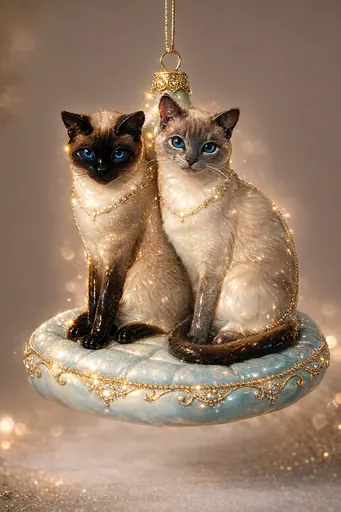
Transform it into an ornament, sculpted from smooth, molded glass and coated in a high-gloss lacquer that catches the light from every angle. Its surface feels impossibly smooth and cool to the touch, fragile yet enduring in hand. The outer layer is glazed with a luminous enamel, somewhere between ceramic and a candy shell—light glides across its curves, with subtle highlights sparkling like soft embers. Directly centered on the object's top axis, add a prominent metallic ornament cap and hanging loop. The cap should be clearly visible, cleanly emerging from the top for easy suspension, without detracting from the overall form. The background color should be similar to the input image.
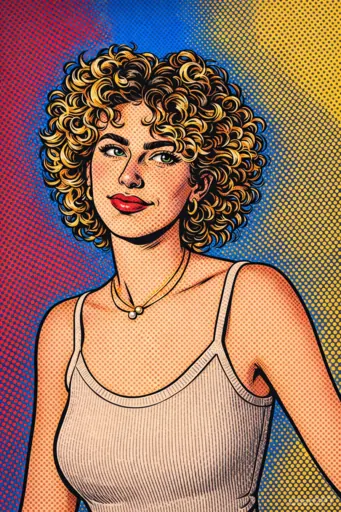
A portrait of the subject rendered in a 1960s comic book pop art style, featuring thick black outlines, saturated blocks of primary colors, and dense halftone dot shading. Facial features should be expressive, stylized, and slightly exaggerated, like a frozen moment from a dramatic panel. The overall composition should be bold and impactful, brimming with pop art energy and vintage print charm. The image should be full-bleed, with no borders.
Follow these simple steps to create amazing images with our prompts.
Browse your favorite nano banana prompts from our curated collection.
Copy and paste the prompt, or click 'Try' to use it directly on nanobanana.art.
Wait for the AI to generate your image. Save and download your creation.
Nano Banana Prompts are text descriptions used to instruct the Nano Banana AI and Nano Banana Pro to generate specific images. They can describe subjects, styles, lighting, composition, and more.
Simply click the 'Copy' button on any prompt card to copy it to your clipboard. Then, paste it into the Nano Banana AI generator or any other compatible AI image tool like Google Gemini 3 image.
Yes, all prompts in our collection are completely free to use. You can use them for personal or commercial projects with Nano Banana.
Be specific about the subject, add details about lighting and style, mention the artistic medium (e.g., oil painting, 3D render), and use negative prompts to avoid unwanted elements.
Yes, while optimized for Nano Banana and Nano Banana Pro, these prompts generally work well with other advanced models like Google Gemini 3 image, Midjourney, and DALL-E.
Learn more about our prompts collection
Nano Banana Prompts are text descriptions used to instruct the Nano Banana AI and Nano Banana Pro to generate specific images. They can describe subjects, styles, lighting, composition, and more.